
Mac Pro Trash Can Cooling

There have been a lot of complaints about the Mac Pro Trashcan having cooling issues. If you have ever looked on the inside of one of these things, you will realize that the thought and engineering that went into the design is quite amazing. It is also not the most practical design, but it sure is neat. However, I think this impracticality contributes to its cooling issues. I looked around for some solutions to help me keep it cool. For a long time, I just pointed a little fan at the case, and it seemed to help a little. I also looked at other solutions like the Speed Pro Cooling Base, but I was not about to shell out that much money. So I hunted around for a cheaper solution that is turning out to work out well.
PARTS LIST
140mm fan (The Base)
AC Infinity MULTIFAN S4, Quiet 140mm USB Fan, UL-Certified for Receiver DVR Playstation Xbox Computer Cabinet Cooling
120mm fan (The Top)
AC Infinity MULTIFAN S3, Quiet 120mm USB Fan, UL-Certified for Receiver DVR Playstation Xbox Computer Cabinet Cooling
OVERVIEW
This is a very simple setup. Just place the 140mm fan on your desk. Put the computer on top of it, and then place the 120mm fan on the top vent hole.
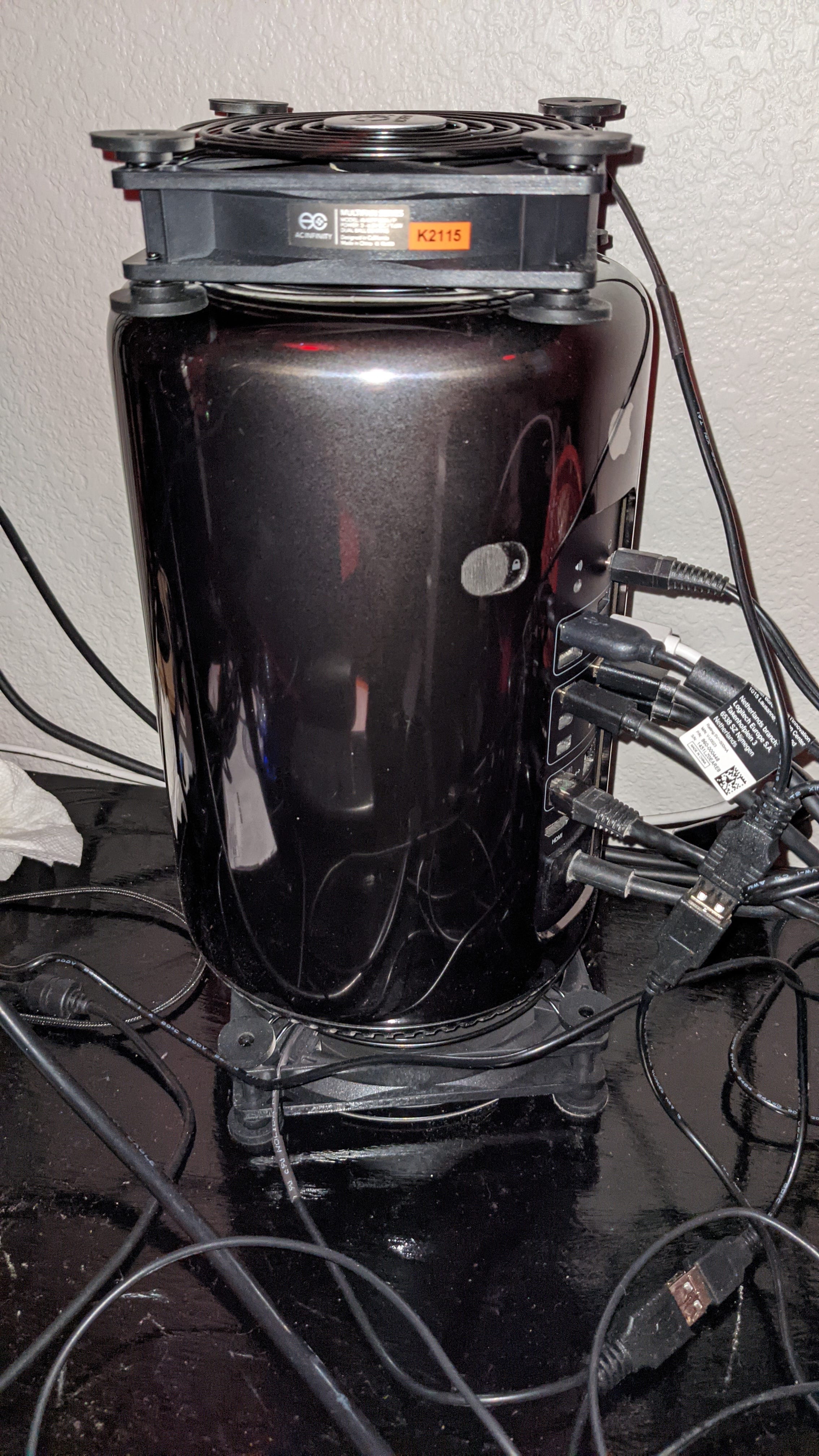
Image: PXL_20210919_190352782
SUMMARY
With this setup, I have been maintaining nominal temps between 65C and 75C when ambient is around 21C. The temperature does rise when the computer is performing more intense activities, but I have noticed an overall improvement in maintaining cooling as well as recovering from peaks in processing.